Which Power Bank Is Best for Charging a Laptop? How Many Watts Do You Need and Does It Need USB-C PD?
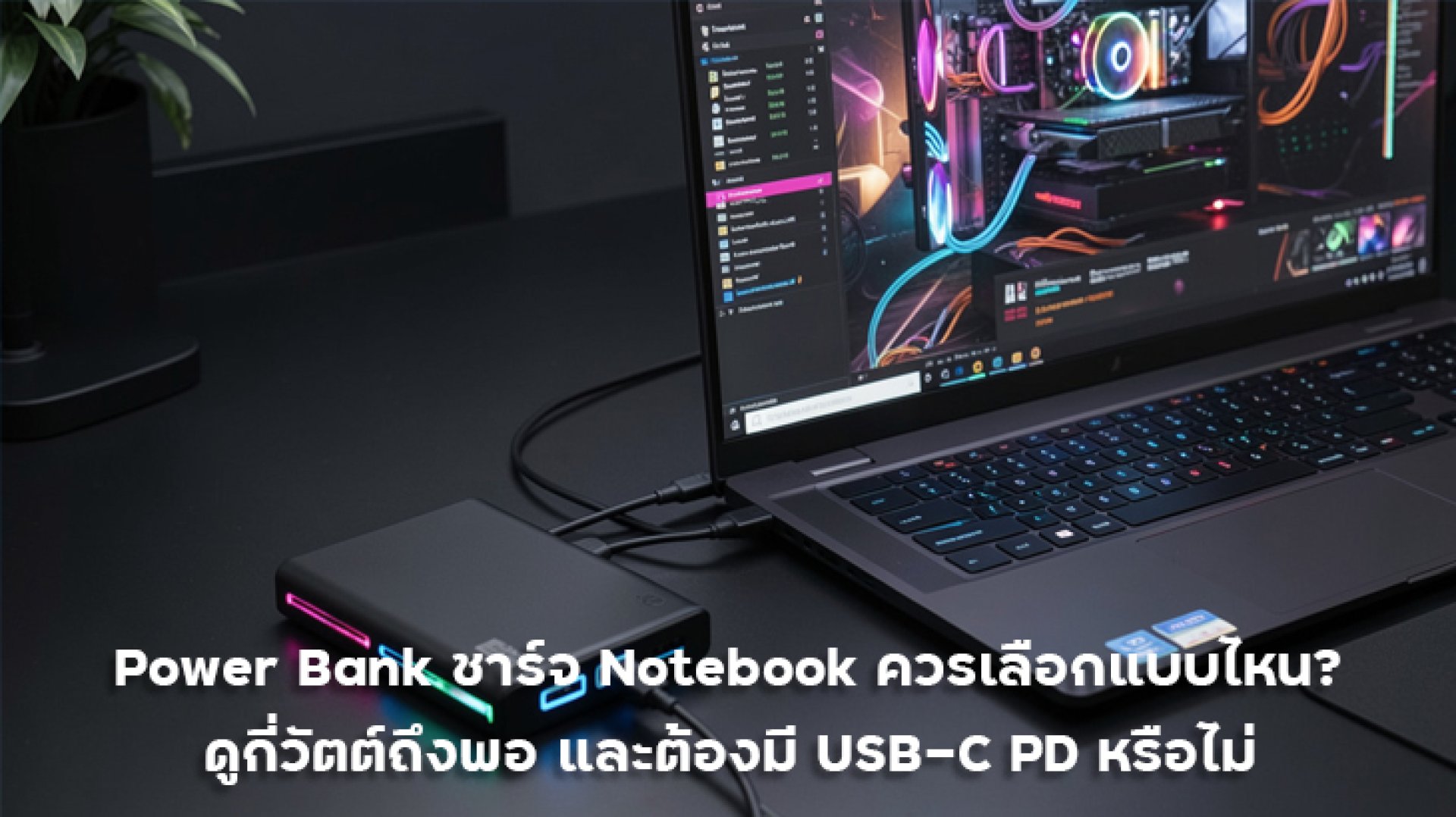
If you often work outside the office and find your laptop battery running low when there is no power outlet nearby, a Power Bank for Laptop can be a practical solution. However, choosing a Power Bank for a laptop is different from choosing one for a smartphone because laptops generally require higher power output and compatible charging standards.
Many people look at the battery capacity first, such as 20,000mAh or 30,000mAh, and assume that a higher capacity automatically means the Power Bank can charge a laptop. In reality, mAh is not the only specification you should consider. Output wattage, USB-C Power Delivery (PD), Wh capacity, and the laptop's required charging power are equally important.
For example, some compact laptops can charge using around 45W, while others may require 65W or 100W. A 20,000mAh Power Bank that only provides 20W output may therefore be unsuitable for a laptop, even though its battery capacity appears large.
This guide explains how many watts a Power Bank needs to charge a laptop, why USB-C PD matters, the difference between 45W and 65W, whether 100W is necessary, and how to check Wh capacity when choosing a Power Bank for travel.
What Should You Look for in a Laptop Power Bank?
The most important factor when choosing a Power Bank for a laptop is not simply the mAh rating. You should check at least five specifications: output wattage, USB-C PD support, Wh capacity, battery capacity, and the laptop's required charging power.
| Specification | Importance | What to Look For |
|---|---|---|
| Output Wattage | Very High | Choose enough power for your laptop |
| USB-C PD | Very High | Recommended for modern laptops |
| Battery Capacity | High | 20,000mAh or more is useful for mobile work |
| Wh Capacity | High | Useful for estimating energy and checking travel requirements |
| Input Power | Medium | Higher input power allows the Power Bank to recharge faster |
How Many Watts Does a Power Bank Need to Charge a Laptop?
There is no single wattage that works for every laptop because different models require different amounts of power. In general, laptop Power Banks can be grouped into 45W, 65W, and 100W classes.
| Power Output | Suitable For | Typical Use |
|---|---|---|
| 30W-45W | Compact laptops and selected lightweight models | Basic everyday tasks |
| 65W | MacBook Air, Ultrabooks, Business Laptops | Recommended for most users |
| 100W | Higher-performance laptops and selected workstations | Users who need more power |
| 140W+ | Selected high-performance laptops | Check the laptop and charging standard carefully |
For most users, a 65W Power Bank offers a good balance because it can support many compact and mid-range laptops while still being practical enough to carry around.
If you want more flexibility across different USB-C devices, a 100W Power Bank can provide additional power headroom for laptops that require more than 65W.
Is USB-C PD Important for a Laptop Power Bank?
Yes, USB-C Power Delivery is very important, especially for modern laptops that support USB-C charging. USB Power Delivery is designed to provide flexible power delivery over USB-C and supports significantly higher power levels than traditional USB charging. :contentReference[oaicite:0]{index=0}
A Power Bank advertised simply as "Fast Charging" does not necessarily mean that it can charge a laptop. You should check whether its USB-C port specifically supports USB PD and whether the available output power is sufficient for your laptop.
For example, if your laptop requires 65W but the Power Bank's USB-C port provides only 30W, having a USB-C connector alone does not guarantee that the laptop can charge properly.
Therefore, when choosing a laptop Power Bank, look for specifications such as USB-C PD 65W or USB-C PD 100W, depending on the requirements of your laptop.
45W vs 65W Power Bank: Which One Should You Choose?
45W Power Bank
A 45W Power Bank can be suitable for compact laptops and selected lightweight models that do not require high charging power. One advantage is that 45W models can often be smaller and lighter than higher-output Power Banks.
If you mainly use your laptop for documents, web browsing, video streaming, and other everyday tasks, 45W may be sufficient. However, always check the laptop manufacturer's charging specifications before purchasing.
65W Power Bank
65W is a practical choice for many laptop users, particularly those using MacBook Air, Ultrabooks, and business laptops that support USB-C PD charging.
A 65W Power Bank also provides enough versatility to charge smartphones, tablets, and laptops from the same portable power source, making it useful for travel and mobile work.
100W Power Bank
If you want additional flexibility, a 100W Power Bank provides more power headroom and can support compatible laptops that require more than 65W.
However, a 100W Power Bank does not mean that every laptop will automatically receive 100W. USB Power Delivery allows the connected device to negotiate and request the amount of power it requires. :contentReference[oaicite:1]{index=1}
Can a 20,000mAh Power Bank Charge a Laptop?
Yes, a 20,000mAh Power Bank can charge a laptop if it provides sufficient output power and the laptop supports charging through USB-C. However, the number of times it can recharge the laptop depends on several factors.
For example, a 20,000mAh Power Bank may contain approximately 72-74Wh of energy depending on the battery cell voltage and product design.
However, not all of this energy reaches the laptop because some energy is lost during voltage conversion, heat generation, and the operation of the Power Bank's internal electronics.
For this reason, Wh is generally more useful than mAh when estimating the available energy for charging a laptop.
Why Is Wh More Important Than mAh for Laptop Charging?
mAh, or milliamp-hours, describes electrical capacity, but mAh values from batteries operating at different voltages cannot always be compared directly.
For Power Banks, looking at Wh or Watt-hours provides a clearer indication of the total energy stored in the battery.
The basic calculation is:
Wh = V × Ah
When using mAh:
Wh = V × mAh ÷ 1,000
For example, a Power Bank with a nominal battery capacity of 20,000mAh at approximately 3.7V would have an estimated energy capacity of:
3.7V × 20,000mAh ÷ 1,000 = 74Wh
This is an approximate battery-cell energy figure, not the amount of energy that can be delivered to the laptop. Actual usable energy will be lower because of conversion losses and other factors.
What Should You Check When Taking a Laptop Power Bank on a Flight?
If you plan to travel with a Power Bank, check its Wh rating rather than relying only on the mAh number.
Power Banks with a capacity of up to 100Wh are commonly within the range permitted for carry-on use, but airline and local aviation rules can vary. Always check the latest requirements of your airline before travelling.
Power Banks should generally be carried in your cabin baggage rather than placed in checked baggage. Always follow the latest airline and aviation authority requirements for your specific journey.
Is a 65W or 100W Power Bank Better Value?
For general laptop users, 65W offers an excellent balance between power, portability, and compatibility. It is suitable for many compact and mid-range laptops while remaining practical for everyday travel.
A 100W Power Bank is more suitable for users who need additional power for higher-performance laptops or want a single Power Bank capable of supporting a wider range of USB-C devices.
| User Type | Recommended Output | Why |
|---|---|---|
| Students | 45W-65W | Enough for compact laptops and everyday tasks |
| Office Workers | 65W | Good balance between power and portability |
| Remote Workers | 65W-100W | Suitable for laptops and multiple USB-C devices |
| Power Users | 100W+ | Better suited to laptops requiring higher power |
Is the CUKTECH PB150S Suitable for Charging a Laptop?
If you want one Power Bank that can handle both smartphones and laptops, the CUKTECH PB150S is an interesting option because its USB-C1 port supports up to 90W output.
For compatible laptops that support USB-C PD and require up to 65W, the PB150S can serve as a portable power source. Its higher maximum USB-C output also provides additional headroom for compatible devices.
- Up to 100W USB-C input
- Up to 90W USB-C1 output
- USB-C Power Delivery support
- PPS support
- Up to 65W output for compatible laptops
- Compatible with smartphones and tablets from multiple brands
- Supports charging up to 3 devices simultaneously
- TFT display showing voltage, current, and power information
The PB150S is not designed only as a laptop Power Bank. It is a multi-device portable power solution that can be used with smartphones, tablets, laptops, wireless earbuds, and other USB-C devices.
What Should You Check Before Buying a Laptop Power Bank?
Before buying a Power Bank for your laptop, check the laptop's charging specifications first. Then select a Power Bank with sufficient output power and the correct charging protocol.
- Check your laptop's required power
Find out whether it requires 45W, 65W, 90W, 100W, or more. - Check whether the laptop supports USB-C charging
Not every USB-C port necessarily supports power input, so check the manufacturer's specifications. - Choose a Power Bank with USB-C PD
USB-C PD is particularly important for modern laptops. - Check the output of each USB-C port
Do not rely only on the total advertised wattage of the Power Bank. - Check the Wh rating
This is useful for estimating energy capacity and checking travel requirements. - Use an appropriate USB-C cable
For 65W or 100W charging, use a cable rated for the required power level. - Check safety certifications and protection features
Choose a reputable brand with clearly documented specifications and protection systems.
Conclusion: What Kind of Power Bank Should You Choose for a Laptop?
Choosing a Power Bank for Laptop is not simply about selecting the highest mAh capacity. You should consider output wattage, USB-C PD support, Wh capacity, and the charging requirements of your specific laptop.
For compact laptops and basic everyday use, 45W may be sufficient. For most users who want a good balance between performance and portability, 65W is an excellent choice. Meanwhile, a 100W Power Bank is better suited to users who need higher output and broader compatibility with USB-C laptops and other devices.
For users who want one Power Bank for a laptop, smartphone, and tablet, the CUKTECH PB150S is an interesting option, with up to 90W USB-C output and support for USB-C PD, PPS, and multiple fast charging technologies.
The most important rule is simple: choose a Power Bank that matches the power requirements of your laptop. Check the Power Bank, USB-C port, and cable specifications before purchasing to ensure reliable and efficient charging.
Frequently Asked Questions (FAQ)
How many watts does a Power Bank need to charge a laptop?
It depends on the laptop. In general, 45W may be suitable for compact laptops, 65W is suitable for many mainstream laptops and Ultrabooks, while 100W is useful for laptops that require higher power. Always check your laptop's specifications.
Does a laptop Power Bank need USB-C PD?
For modern laptops that support USB-C charging, a Power Bank with USB-C PD is highly recommended. USB Power Delivery is designed to provide flexible power delivery over USB-C and supports higher power levels than standard USB charging. :contentReference[oaicite:2]{index=2}
Can a 20,000mAh Power Bank charge a laptop?
Yes, provided that the Power Bank has sufficient output power and the laptop supports USB-C charging. The actual charging time and number of recharges depend on the Power Bank's Wh capacity, conversion efficiency, and the laptop's battery capacity.
Can a 65W Power Bank charge a MacBook?
Many MacBook models support USB-C charging, but the required power varies by model. For example, Apple's current MacBook Air specifications list USB PD fast charging with a 70W or higher power source for supported configurations. Check the exact specifications of your MacBook before choosing a Power Bank. :contentReference[oaicite:3]{index=3}
Can a 100W Power Bank charge a 65W laptop?
Yes, if the laptop supports USB-C PD and the Power Bank provides the required charging profiles. A 100W Power Bank does not force the laptop to receive 100W continuously. USB Power Delivery allows the connected device to negotiate the amount of power it requires. :contentReference[oaicite:4]{index=4}
Can I take a laptop Power Bank on a flight?
This depends on the Power Bank's Wh rating and the airline's current rules. Check the latest requirements with your airline before travelling. Power Banks are generally required to remain in carry-on baggage rather than checked baggage.
Related Articles
- Which Power Bank Supports PPS 5A? Best Models for Samsung and Xiaomi Fast Charging
- Which Power Bank Is the Best Value? Compare 10,000mAh, 15,000mAh and 20,000mAh CCC Models in 2026
- How to Choose a Genuine Power Bank: How to Check Wh, Wattage and CCC Certification
Choose a Power Bank for Your Laptop
If you are looking for a Power Bank that can charge a laptop as well as smartphones and tablets, choose a model with USB-C PD and sufficient output power for your devices.
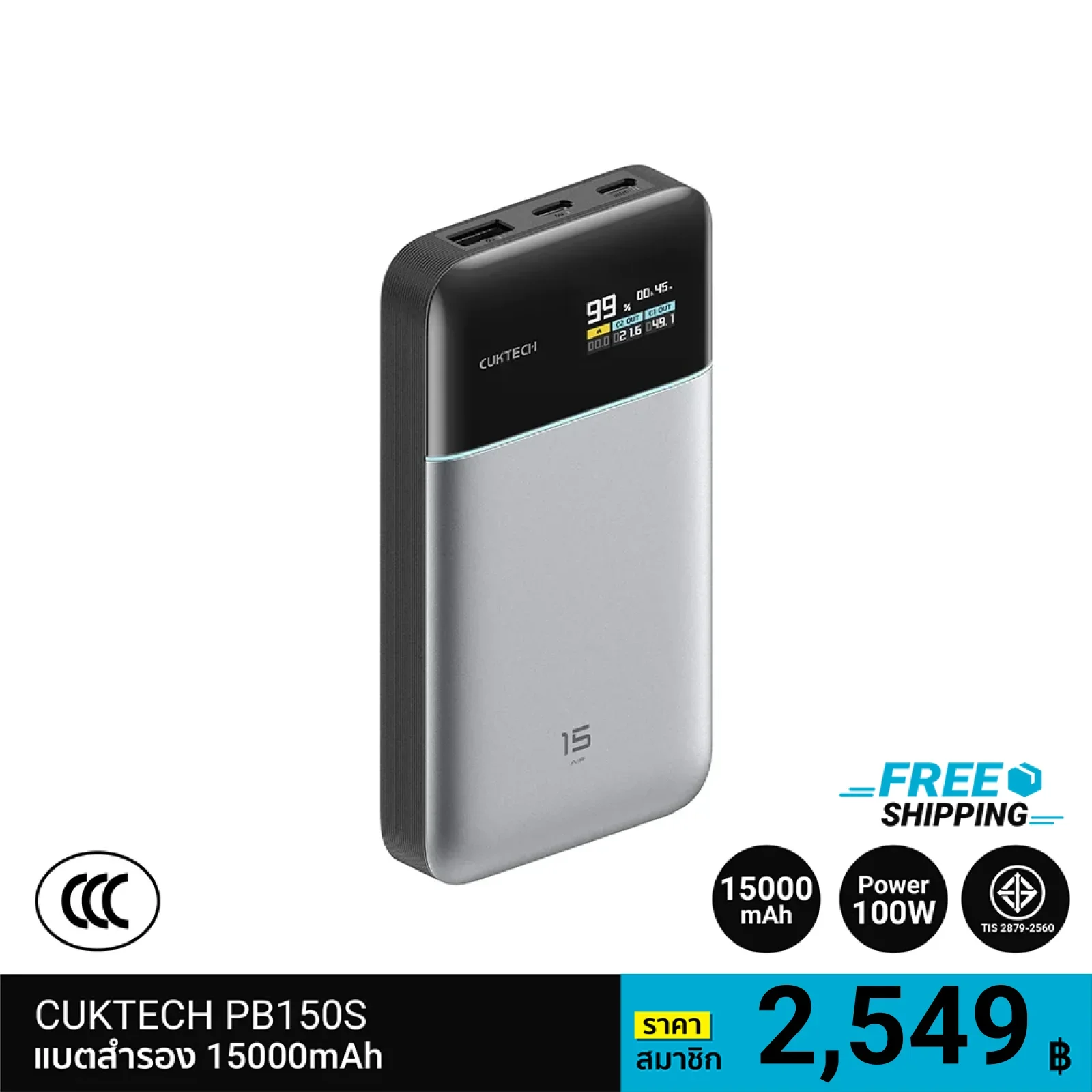
CUKTECH PB150S supports up to 90W USB-C output and up to 100W input, along with multiple fast charging technologies. It is designed for users who need a multi-device Power Bank for work, travel, and everyday use.
Shop online: ZMITHAILAND.COM