Can You Use Both USB-C Ports on a Dual-Port Charger at the Same Time? How Is Power Distributed for Fast Charging?
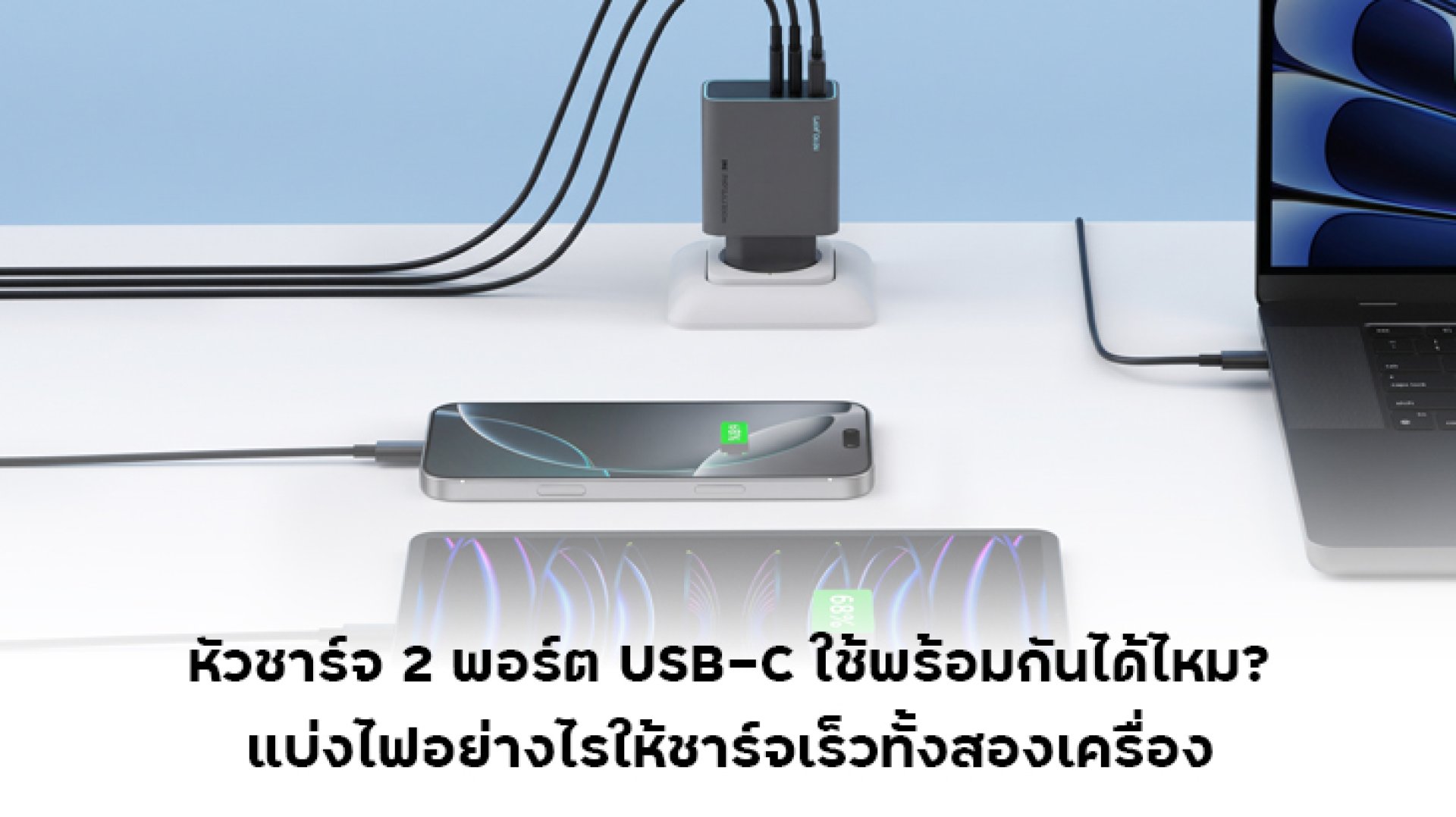
Nowadays, many people have more than one device that needs charging, including smartphones, tablets, wireless earbuds, and laptops. Carrying a single charger with two USB-C ports is a convenient solution. But can a dual-port charger deliver full power to both devices simultaneously? And when using a 65W or 100W charger, how does it distribute power between the two ports?
The truth is that a dual-port charger does not necessarily deliver its maximum advertised wattage to each port at the same time. Instead, it uses a power allocation system to distribute available power between connected devices. The actual distribution depends on the charger's design and the power requirements of each device.
This article explains how dual-port USB-C chargers work, including power allocation, USB Power Delivery (PD), and PPS. You'll also learn how to choose the right charger for two devices, so you can charge efficiently without paying for more power than you actually need.
Can You Charge Two Devices Simultaneously with a Dual-Port USB-C Charger?
Yes. A dual-port charger designed for simultaneous power delivery can charge two devices at the same time. For example, you can connect two smartphones or charge a smartphone and tablet together without carrying separate chargers.
However, the important thing to understand is that the charger's total power output has a limit. For example, a 65W charger does not necessarily provide 65W to each USB-C port simultaneously. Instead, 65W represents the maximum combined output that the charger can distribute according to its specifications.
For example, some 65W dual-port chargers may distribute power in the following ways:
| Usage Scenario | USB-C Port 1 | USB-C Port 2 | Total Output |
|---|---|---|---|
| One device connected | 65W | Not in use | 65W |
| Two devices connected | 45W | 20W | 65W |
| Two devices connected | 30W | 30W | 60W |
These figures are examples of possible power distribution configurations, not universal specifications for every 65W charger. Some models may offer 45W + 18W or other combinations depending on their internal circuitry and manufacturer specifications.
Before purchasing a dual-port charger, check the manufacturer's Output Specification table. It shows the maximum power available from each port when used individually or simultaneously.
How Does Power Sharing Work in a Dual-Port Charger?
Most dual-port chargers include an internal power management system that controls how energy is distributed to connected devices. This system is commonly referred to as Power Allocation or Power Distribution.
Power is not necessarily divided equally between the two ports. Instead, distribution depends on the charger's total power capacity, the capabilities of each port, and the power requirements of the connected devices.
1. Fixed Power Allocation
Some chargers use predefined power output configurations. For example, when only the first USB-C port is being used, it may deliver up to 65W. However, when both ports are connected, the charger may switch to a 45W + 20W configuration.
The advantage of this design is that users can check the advertised power distribution in advance and choose a charger that matches their devices.
2. Dynamic Power Distribution
Some chargers feature Dynamic Power Distribution, which adjusts power allocation according to the connected devices and operating conditions.
For example, if you connect a laptop that requires substantial power alongside a smartphone, the charger may allocate more available power to the laptop to support charging while the computer is in use.
However, not every dual-port charger supports fully dynamic power allocation. Some models use fixed output configurations, so it is important to check the specifications of each product before purchasing.
How Does USB Power Delivery (PD) Affect Power Distribution?
USB Power Delivery, commonly known as USB PD, is a power delivery standard that allows USB-C chargers and connected devices to communicate and negotiate suitable charging conditions. It supports multiple voltage levels rather than being limited to the traditional 5V USB output.
When a USB-C PD device connects to a compatible charger, both sides negotiate an appropriate power profile based on their capabilities. Common voltage levels include 5V, 9V, 15V, and 20V.
For example, one smartphone may support up to 30W of USB PD charging, while a tablet supports up to 45W. If both devices are connected to a 65W dual-port charger, the charger must distribute its available power within its total output limit.
It is important to remember that USB PD does not mean a device will receive its maximum charging power continuously. Actual power delivery changes depending on battery level, temperature, and charging conditions.
What Is PPS and How Does It Improve Fast Charging?
PPS, or Programmable Power Supply, is a feature of USB Power Delivery that allows a compatible charger to adjust voltage and current more precisely within the supported operating range. This provides greater flexibility than using only fixed voltage levels.
One advantage of PPS is that it allows power delivery to better match a device's requirements. Some compatible smartphones use PPS for fast charging, which can help reduce power conversion losses inside the device and improve thermal management during charging.
However, having PPS on a charger does not guarantee the fastest charging speed for every smartphone. The device must also support PPS and the appropriate voltage and current ranges. When using a dual-port charger, you must also consider how much power remains available for each port.
Why Does the First Device Charge More Slowly When You Connect a Second Device?
Have you noticed that your smartphone charges normally when connected alone, but charging becomes slower when someone plugs another device into the second port? This is a normal behavior with many dual-port chargers.
1. The Charger Has a Limited Total Power Output
A 65W charger has a maximum combined power capacity of 65W. When a second device is connected, the charger may need to redistribute available power, reducing the amount delivered to the first device.
For example, the first port may initially deliver 65W. After connecting another device, the charger may switch to a 45W + 20W configuration, depending on its specifications.
2. The Charger May Renegotiate Power Delivery
When another device is connected or disconnected, some chargers may need to renegotiate their USB PD power profiles and adjust power distribution. This can briefly interrupt charging on the first device before power delivery resumes.
You may notice that the fast-charging indicator temporarily disappears or that charging speeds change after connecting a second device. This behavior depends on the charger's internal circuit design.
3. Devices Do Not Always Require Maximum Charging Power
Even if a charger supports 65W, a smartphone may not continuously draw its maximum supported power. Battery management systems automatically adjust charging power according to battery level and temperature.
As the battery approaches full capacity, charging power generally decreases to help protect battery health. Therefore, a reduction in charging power does not necessarily indicate a problem with the charger.
4. Your USB-C Cable May Not Support the Required Power
USB-C cables also play an important role in charging performance. If you use a 100W charger with a cable rated for only 60W, charging may be limited by the cable and the capabilities of the connected devices.
If you plan to use a dual-port charger with a laptop or other high-power device, choose a USB-C cable that supports the required power rating, such as 100W or 240W. Also check USB Power Delivery compatibility and the device manufacturer's requirements.
Which Is Better: A 65W or 100W Dual-Port Charger?
Choosing between a 65W and 100W dual-port charger depends on the devices you plan to charge simultaneously. Do not focus only on the maximum wattage, because a higher-rated charger does not necessarily deliver its full power to both ports at the same time.
| Feature | 65W Charger | 100W Charger |
|---|---|---|
| Charging one smartphone | More than enough for many smartphones | Also suitable for smartphones |
| Charging two smartphones | Suitable for everyday use | Provides more power allocation flexibility |
| Charging a smartphone + tablet | Suitable for devices with moderate power requirements | Better for setups requiring additional power |
| Charging a smartphone + laptop | Check the remaining power available for the laptop | Suitable for compatible laptops requiring this power level |
| Simultaneous charging | Check each model's power distribution table | Check each model's power distribution table |
If you mainly charge two smartphones or a smartphone and wireless earbuds, a 65W charger may be sufficient. However, if you need to charge a laptop alongside a smartphone or tablet, a 100W charger offers greater power capacity and flexibility. Always check the individual port output and the laptop's actual power requirements.
5 Tips for Choosing a Dual-Port Charger That Fast-Charges Two Devices
Before purchasing a dual-port charger, look beyond its total wattage. A charger with a high power rating may still be unsuitable if its power distribution does not match your devices.
- 1. Check the total power output: Choose a charger with enough combined power for all the devices you want to charge simultaneously, such as 65W or 100W.
- 2. Check the Power Allocation table: Find out how much power each port delivers when both are used, such as 45W + 20W or 65W + 30W.
- 3. Choose the right USB PD standard: If you want to charge a laptop or a smartphone that supports USB PD, choose a compatible charger.
- 4. Check PPS compatibility: If your smartphone supports PPS, choose a charger that supports the required voltage and current ranges.
- 5. Use the right USB-C cables: Make sure each cable supports the required charging power and meets appropriate quality standards.
Conclusion: Dual-Port Chargers Can Charge Two Devices, but Power Distribution Matters
Dual-port USB-C chargers can charge two devices simultaneously. However, the power delivered to each port depends on the charger's Power Allocation system and total power capacity. Both ports do not necessarily deliver their maximum rated output at the same time.
If you mainly need to charge two smartphones, a 65W charger may be sufficient for everyday use. However, if you want to charge a laptop alongside a smartphone, choosing a 100W charger with suitable power distribution provides greater flexibility.
Before purchasing, check the total power output, individual port specifications, USB PD and PPS support, and USB-C cable capabilities. Choosing a charger that matches your actual devices helps improve charging efficiency, saves space in your bag, and eliminates the need to carry multiple adapters.
Frequently Asked Questions About Dual-Port Chargers
Can You Use Both USB-C Ports on a Dual-Port Charger at the Same Time?
Yes, provided the charger is designed to deliver power through both ports simultaneously. You can charge two smartphones or a smartphone and tablet together, with power distributed according to the charger's power management system.
Can a 65W Dual-Port Charger Deliver 65W to Each Port?
Generally, no. The 65W rating represents the charger's maximum combined output, not the maximum power available from each port when both are used simultaneously. Always check the product's Output Specification table.
Is It Normal for the First Device to Charge More Slowly When a Second Device Is Connected?
Yes, this can happen because the charger needs to redistribute available power between the two devices. Some models may also renegotiate USB PD profiles, briefly interrupting charging before resuming operation.
Can a 100W Dual-Port Charger Charge a Laptop and Smartphone at the Same Time?
Yes, provided the charger supports simultaneous power delivery and has sufficient output for both devices. Check whether the laptop receives enough power to charge properly while connected to the smartphone.
Is PPS Necessary for a Dual-Port Charger?
Not for everyone. However, PPS is useful for smartphones that support this standard because it allows more precise voltage and current adjustments. If you want PPS fast charging, check compatibility between the charger and smartphone.
Can I Use One USB-C Cable with a Dual-Port Charger?
You can use a USB-C cable with either port individually. However, if you want to charge two devices simultaneously, you will need two separate cables. Each cable should support the appropriate power rating and charging standards for its connected device.