Type-C Charging Cable Got Wet? Is It Safe to Use? How to Protect Your USB-C Cable During the Rainy Season
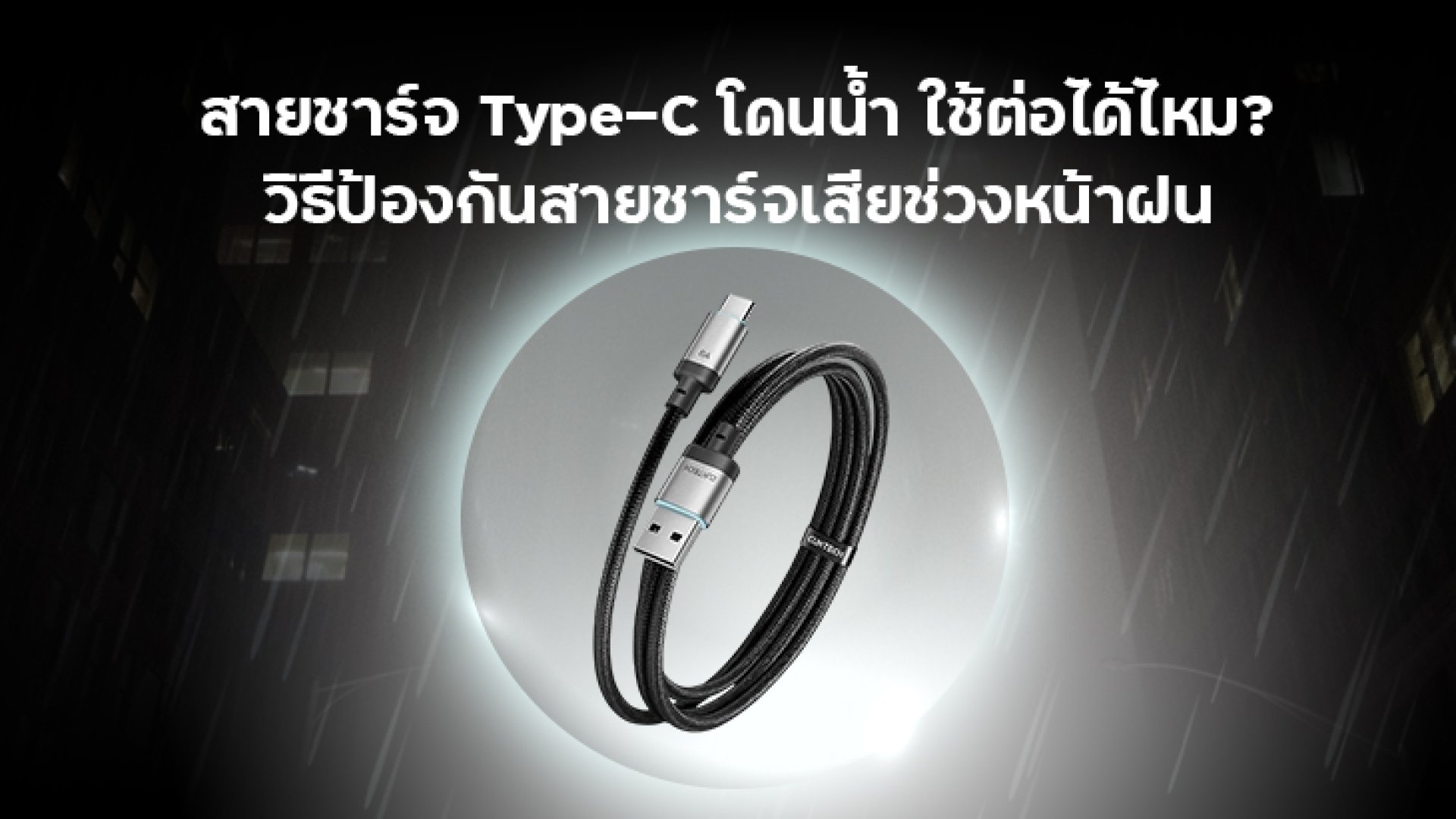
Rainy weather often brings unexpected challenges for electronic devices and accessories. Whether you're commuting, riding a motorcycle, traveling, or simply caught in a sudden downpour, your smartphone and charging accessories are at greater risk of exposure to water and humidity.
One of the most common questions people ask is: "Can I still use my Type-C charging cable after it gets wet?" Many assume that because a charging cable contains no battery or complex electronics, it is safe to continue using it immediately after wiping it dry. However, this assumption is not always correct.
Although a USB-C charging cable is relatively simple compared to a wall charger or power bank, the connector contains multiple metal contacts responsible for delivering power and data. Moisture trapped inside the USB-C connector may cause unstable charging, corrosion, or trigger your smartphone's moisture detection system.
In this guide, you'll learn whether a wet Type-C charging cable is safe to use, how to inspect and dry it properly, what mistakes to avoid, and practical tips to protect your charging accessories during the rainy season.
Can You Use a Type-C Charging Cable After It Gets Wet?
The short answer is: It depends on how wet the cable is.
If only the outer cable jacket is slightly damp from light rain while the USB-C connector remains completely dry, simply wiping it with a clean cloth is usually sufficient before use.
However, if the USB-C connector has been directly exposed to water, submerged, or contains visible moisture, you should avoid plugging it into your smartphone or charger immediately. Water can create unwanted electrical pathways between the connector pins, increasing the risk of corrosion, unstable charging performance, and long-term connector damage.
Many modern smartphones also include built-in moisture detection technology. If moisture is detected inside the USB-C port, the device may display a warning message and temporarily disable charging until the port is completely dry. This safety feature helps protect both the charging port and internal electronics from potential damage.
How Water and Moisture Affect a USB-C Charging Cable
Many users believe that charging cables are immune to water because they contain no batteries. In reality, the most vulnerable part is the USB-C connector, which consists of multiple precision metal contacts responsible for transferring power and data between devices.
When these contacts remain exposed to moisture for an extended period, several issues may occur:
- Corrosion or oxidation on the metal contacts
- Higher electrical resistance that reduces charging efficiency
- Slow or unstable charging performance
- Moisture detection warnings on compatible smartphones
- Premature wear of the USB-C connector
- Excessive heat generation if the connector is used while still wet
Although a single exposure to rain may not permanently damage a charging cable, repeated exposure to moisture without proper care can significantly shorten its service life.
Signs Your Type-C Charging Cable May Have Moisture Damage
Before reconnecting a charging cable that has been exposed to rain or water, inspect it carefully for any signs of damage.
- Green, black, or white corrosion on the USB-C connector
- Intermittent charging or frequent connection drops
- Charging speed noticeably slower than usual
- Your phone displays a moisture detected warning
- The connector becomes unusually hot during charging
- Cracked, torn, or damaged cable insulation
If you notice any of these symptoms, stop using the cable immediately. Continuing to use a damaged charging cable may affect not only the cable itself but also your smartphone, wall charger, or power bank. Replacing a damaged cable is often the safest and most cost-effective solution.
How to Properly Dry a Wet Type-C Charging Cable
If your Type-C charging cable gets wet from rain or accidental water exposure, do not plug it in immediately. Although the exterior may appear dry, moisture can remain inside the USB-C connector and around the metal contacts. Allowing the cable to dry properly helps reduce the risk of corrosion and extends its lifespan.
1. Disconnect the Cable Immediately
If the cable is connected to a charger, smartphone, tablet, or power bank, unplug it as soon as possible to prevent electrical current from passing through a wet connector.
2. Wipe the Connector with a Soft Dry Cloth
Use a clean microfiber cloth or a lint-free fabric to dry both the cable and the USB-C connector. Avoid using paper towels that may leave fibers inside the connector.
3. Let It Air Dry Naturally
Place the cable in a cool, dry, and well-ventilated area. Wait until you are confident that all moisture has evaporated before using it again.
4. Inspect the Connector Before Reusing
Check for water droplets, dirt, corrosion, or discoloration on the USB-C connector. If you notice any damage or abnormal signs, replace the cable instead of continuing to use it.
What NOT to Do If Your Type-C Charging Cable Gets Wet
Many people try to dry a wet charging cable as quickly as possible, but some common methods may actually cause more damage.
- Do not plug the cable in immediately after it gets wet.
- Do not use a hot hair dryer directly on the connector, as excessive heat may damage the insulation or plastic housing.
- Do not leave the cable under direct sunlight for extended periods, as prolonged heat can shorten the cable's lifespan.
- Do not use chemical cleaners, lubricants, or sprays that are not specifically designed for electronic connectors.
- Do not continue using the cable if you notice corrosion, burn marks, or damaged contacts.
If the cable has been submerged in seawater, muddy water, or contaminated water, replacing it is generally the safest option because minerals and contaminants can accelerate corrosion inside the connector.
10 Ways to Protect Your Type-C Charging Cable During the Rainy Season
1. Store Your Cable Separately from Wet Items
Keep charging cables away from wet umbrellas, raincoats, or water bottles inside your bag.
2. Use a Waterproof Pouch
If you frequently travel, ride a motorcycle, or spend time outdoors, storing your smartphone, charging cable, and accessories inside a waterproof pouch can significantly reduce exposure to rain and moisture.
3. Dry the Cable Before Storing
Always wipe the cable dry before rolling it up and placing it inside your bag.
4. Avoid Wrapping the Cable Too Tightly
Excessive bending can damage the internal wires, especially when combined with moisture.
5. Avoid Leaving the Cable Inside a Hot Vehicle
Frequent temperature changes and humidity inside a parked vehicle may accelerate material degradation.
6. Inspect the Connector Regularly
Look for black, green, or white corrosion on the connector. Replace the cable if any abnormal signs appear.
7. Choose Certified Charging Cables
High-quality certified cables generally offer better durability, safer insulation, and longer service life.
8. Pull the Connector, Not the Cable
Always unplug the cable by holding the connector instead of pulling on the cable itself.
9. Keep the Connector Clean
Dust and debris combined with moisture can interfere with charging performance and accelerate corrosion.
10. Replace Damaged Cables Promptly
If your cable charges intermittently, becomes unusually warm, or shows physical damage, replace it immediately.
How a Waterproof Pouch Helps Protect Your Charging Accessories
Many people focus on protecting only their smartphone, while forgetting that charging accessories such as USB-C cables, wall chargers, and power banks are equally vulnerable to moisture.
When traveling during the rainy season, storing your electronic accessories inside a high-quality waterproof pouch helps minimize exposure to rain, splashes, and humidity.
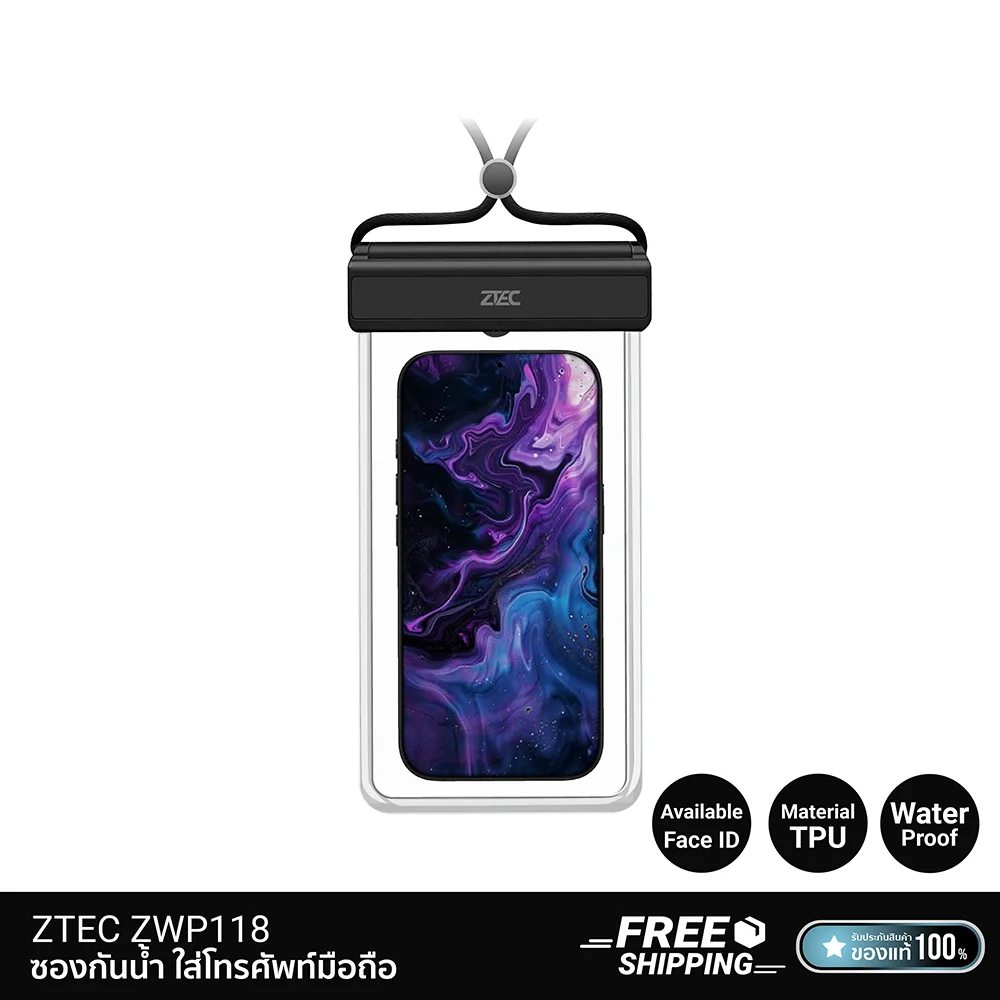
For example, the ZTEC Waterproof Phone Pouch (TPU) supports smartphones up to 7 inches and also provides enough room for a short charging cable or other small accessories. Its IPX8 waterproof rating, transparent TPU material, Face ID compatibility (device dependent), and ability to take photos without removing the phone make it an excellent companion for commuting, traveling, and outdoor activities.
Tip: Always verify that the waterproof pouch is properly sealed and follow the manufacturer's instructions before exposing it to water.
Conclusion
A Type-C charging cable does not necessarily become unusable after getting wet, but it should never be used until both the connector and cable are completely dry. Proper drying, routine inspections, and careful storage can significantly extend the cable's lifespan while protecting your connected devices.
If you frequently travel during rainy weather, investing in a quality charging cable and a waterproof storage solution can help reduce moisture-related damage and keep your electronics safe.
You should also learn how to properly care for your USB wall charger and power bank, as each device has different safety considerations when exposed to water or humidity.
Frequently Asked Questions (FAQ)
1. Can I use a Type-C charging cable after it gets wet?
If the cable has only been exposed to light rain or minor moisture, you can use it after thoroughly drying both the cable and the USB-C connector. However, if water has entered the connector or the cable was submerged, do not use it until it is completely dry and carefully inspected.
2. How long should I wait before using a wet USB-C cable?
The drying time depends on how much water the cable was exposed to and the surrounding environment. As a general rule, wipe the cable dry and allow it to air dry completely in a cool, well-ventilated area before using it again.
3. Can I use a hair dryer to dry my charging cable?
Using a hot hair dryer is not recommended. Excessive heat may damage the cable's insulation, plastic housing, or internal components. If necessary, use cool air only and keep a safe distance from the connector.
4. Can a wet charging cable damage my smartphone?
Yes. If moisture remains inside the USB-C connector, it may trigger your phone's moisture detection system or affect the charging port. Always ensure the cable is completely dry before connecting it to any device.
5. Can I continue using a charging cable if the connector shows signs of corrosion?
No. If you notice corrosion, rust, green residue, black discoloration, or burn marks on the connector, replace the cable immediately. Continuing to use a damaged cable may lead to unstable charging, overheating, or damage to connected devices.
6. Does using a waterproof pouch help protect charging accessories?
Yes. A waterproof pouch helps reduce exposure to rain, splashes, and humidity, protecting not only your smartphone but also charging cables, wall chargers, power banks, and other electronic accessories during outdoor activities or daily commuting.
References
- USB Implementers Forum (USB-IF). USB Type-C® Cable and Connector Specification.
https://www.usb.org - Apple Support. If you see a Liquid Detected alert on your iPhone.
https://support.apple.com - Samsung Support. Moisture detected in USB port.
https://www.samsung.com/support - Google Pixel Help. Liquid or debris detected in USB port.
https://support.google.com/pixelphone - IEC 60529. Degrees of Protection Provided by Enclosures (IP Code).
https://www.iec.ch
Recommended Accessory for Rainy Weather
If you frequently travel or commute during the rainy season, protecting your charging accessories is just as important as protecting your smartphone. Keeping your charging cable, wall charger, and power bank inside a waterproof pouch helps minimize moisture exposure and extends the lifespan of your electronic devices.
ZTEC Waterproof Phone Pouch (TPU)
- IPX8 waterproof protection
- Transparent TPU material for clear screen visibility
- Supports Face ID (device compatibility may vary)
- Take photos and record videos without removing your phone
- Triple-lock waterproof sealing system for enhanced protection
- Fits smartphones up to 7 inches
- Ideal for commuting, motorcycle riding, hiking, boating, beach trips, camping, and rainy-day travel
Combining a waterproof pouch with proper storage habits for your charging cable, wall charger, and power bank can significantly reduce moisture-related damage and help keep your electronic accessories in excellent condition throughout the rainy season.